

Comparison · AI preview and 3D/AR
HomeVisioner or 3D/AR: which fits your store.
3D/AR needs a 3D model for every product. HomeVisioner needs the product photos your store already has, and a room photo from your shopper. Here is, plainly, what each can do, what it takes — and when 3D/AR is the better choice.

Free plan on Shopify and ikas · free setup support
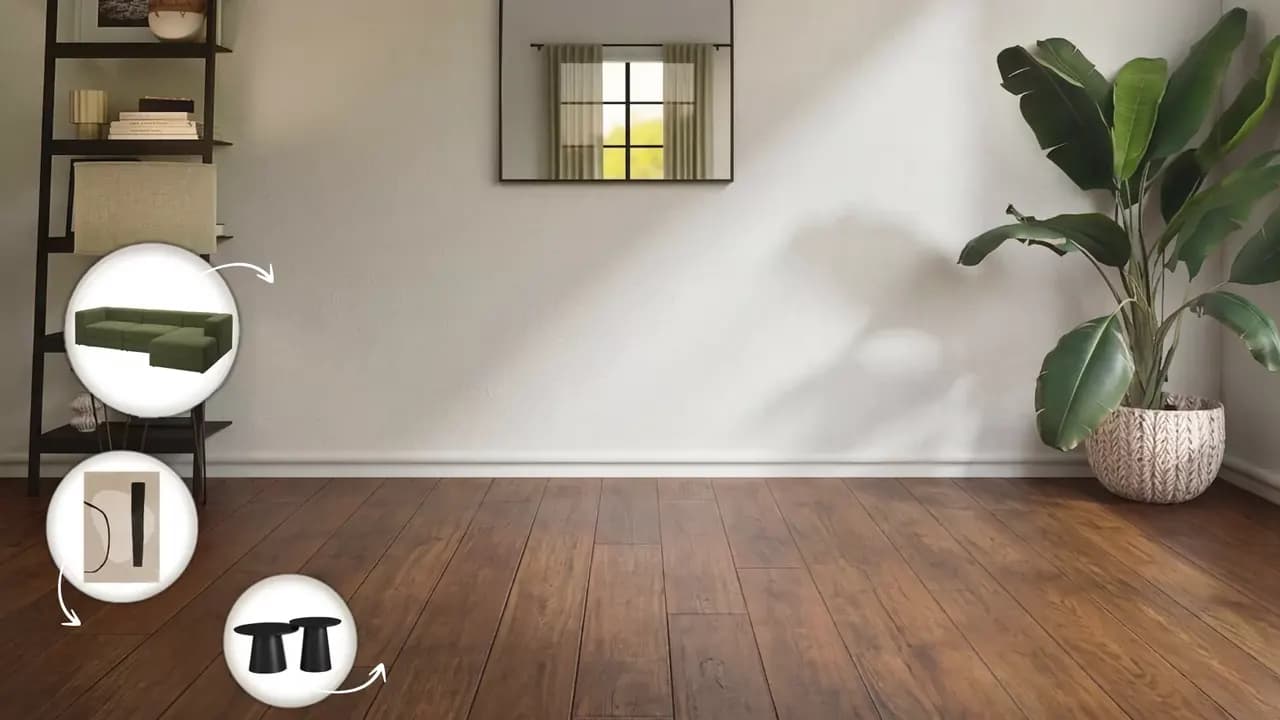 Before
 After
AfterTwo approaches, side by side
The table describes the approaches in general. For 3D/AR we name no providers and no prices.
| Criterion | HomeVisioner (AI preview) | 3D model with AR |
|---|---|---|
| What you need per product | HomeVisioner (AI preview)The existing product photos | 3D model with ARA 3D model, often one per variant |
| What the shopper needs | HomeVisioner (AI preview)A room photo and a browser — no app, no account | 3D model with ARAn AR-capable smartphone and the room in front of them |
| What the shopper sees | HomeVisioner (AI preview)A photo-realistic image of their own room with the product, in the photo’s light and perspective | 3D model with ARThe model live in the camera view, to move and rotate |
| Scale | HomeVisioner (AI preview)An approximation, not true to scale | 3D model with ARTrue to scale if the model’s dimensions are correct |
| New products and variants | HomeVisioner (AI preview)As soon as there are photos and the button is on | 3D model with AROnly once the model is made and checked |
| Setup | HomeVisioner (AI preview)A block on the product page, in minutes, with no code | 3D model with ARHave models made, check them and upload them as product media |
| Cost structure | HomeVisioner (AI preview)Ongoing: a monthly plan with included visualizations, free plan to start | 3D model with ARMostly upfront: a model per product, growing with the range |
| Measurement | HomeVisioner (AI preview)Visualizations, leads and attributed orders in the app | 3D model with ARDepends on the store platform and the provider |
In more depth, with the limits of both: the guide “AI preview or 3D/AR?”.
What each approach needs
The biggest difference comes before the first shopper: the material you need for each product.
HomeVisioner
- The product photos already in your store. Nothing to model, nothing to commission.
- A room photo the shopper uploads on the product page — straight from their phone.
- New products are ready as soon as their photos are.
3D/AR
- A 3D model for each product, often for each variant. Shape, dimensions and materials have to be right.
- Time and budget for making the models before a product shows up in AR.
- An AR-capable device, and shoppers standing in the room at the time.
Minutes, not a project
HomeVisioner is set up in your store, not built.
No 3D models
Your whole range is ready on day one — from the product photos you have.
A block, no code
On Shopify a block in the theme editor on the product page, on ikas an app with a storefront widget. The button can be switched on per product or collection.
Looks like your store
You set the button’s label, colour, font, shape and size yourself.
Setup support is free: [email protected].
What you can measure
The app’s analytics count what happens around the button. They show an association — not proof that the preview caused the sale.
Visualizations
Every completed preview, per product.
Leads
After a few previews, shoppers can leave their email to keep going; marketing consent is a separate checkbox.
Attributed orders
Orders that follow a visualization and are linked to it through the cart or the shopper’s email.
Room photos are private
We treat them that way — and shoppers stay anonymous unless they choose to leave their email.
- Room photos and previews are deleted automatically after 30 days
- Never used to train AI models
- Uploads with faces are rejected
- EU-based primary infrastructure
When 3D/AR is the better choice
An AI preview does not measure, and it is a still image. In these cases there is more to be said for 3D/AR:
Exact dimensions matter
When the question is “will it fit the alcove?”, a correctly dimensioned model in AR helps. The AI preview shows the look; its scale is an approximation.
Configurators
For products shoppers put together from many options, a 3D model renders every combination. HomeVisioner shows every variant you have a photo for; when the combinations are too many to photograph, a 3D model has the edge.
The 3D data already exists
If the manufacturer supplies good 3D models for a manageable range, much of the work is already done.
The two also work together: the HomeVisioner button is a block of its own on the product page, and existing 3D models in your product media stay as they are.
Start for free
Prices and quotas as on each platform. The platform pages have every plan in detail.
Shopify
- Free: 20 visualizations a month
- Paid plans from $14.99 / month, billed through Shopify
ikas
- Free: 20 visualizations a month
- Paid plans from €24.99 / month, billed in euros
Common questions about the comparison
Start without a 3D model — with the photos you have.
Free plan on Shopify and ikas. Setup support is free.