HomeVisioner

AI preview or 3D/AR? Room visualization for online stores compared

If you want to show shoppers how a sofa or rug will look in their home, there are essentially two options: an AI preview in a photo of their own room, or a 3D model placed live into the camera view with AR. Both have strengths – and different requirements.

An AI preview needs

The product images you already have, and a room photo from the shopper. The result is an image of their own room with the product in it.

3D/AR needs

A 3D model per product (often per variant) and an AR-capable smartphone. The result is a live camera view with the model in it.

Which fits you

Depends on the size of your range, how often it changes, and whether the question is the look or the exact dimensions.

How an AI preview works

The shopper taps a button on the product page, uploads a photo of their room, and an AI places the product into that photo – in the room's perspective and light. With HomeVisioner this takes seconds and runs in the browser, with no app and no account. It is built from the product images already in the store; no 3D models are needed.

How 3D/AR works

A 3D model is made for each product. In the store it can be rotated and, on a suitable smartphone, placed into the live camera view with augmented reality. Many store platforms, Shopify among them, can show 3D models as product media. How convincing it is depends above all on the model: shape, dimensions and materials have to be right.

Side by side

What you need per product
AI preview (e.g. HomeVisioner)The existing product images
3D model with ARA 3D model, often one per variant
What the shopper needs
AI preview (e.g. HomeVisioner)A room photo and a browser
3D model with ARAn AR-capable smartphone, the camera, and the room in front of them
Result
AI preview (e.g. HomeVisioner)A still image of their own room with the product, to save and share
3D model with ARA live view in which the model can be moved and rotated
Scale
AI preview (e.g. HomeVisioner)An approximation, not true to scale
3D model with ARTrue to scale if the model's dimensions are correct
Light and surroundings
AI preview (e.g. HomeVisioner)Taken from the photo
3D model with AREstimated by the device; materials look as good as the model
New products and variants
AI preview (e.g. HomeVisioner)As soon as there are images and the product is enabled
3D model with AROnly once the model is made and checked
Cost structure
AI preview (e.g. HomeVisioner)Ongoing: a monthly plan with included visualizations, growing with use
3D model with ARMostly upfront: a model per product, growing with the size of the range

The table describes the approaches in general. Prices for 3D models depend on the provider and the product; we give none here.
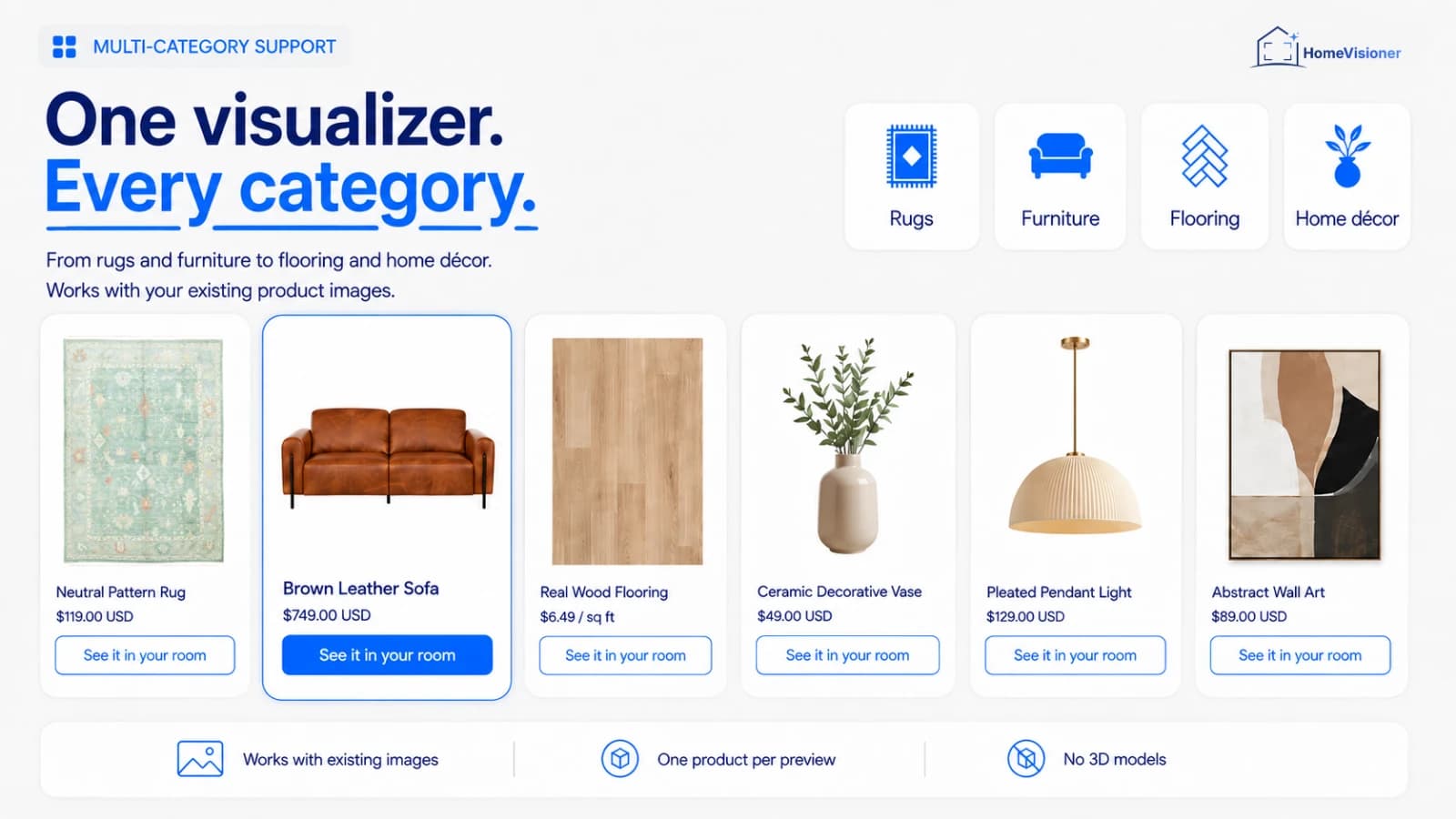
No 3D model: the product images you have are enough

Product cards for a rug, a leather sofa, wood flooring, a vase, a pendant light and wall art, each with a “See it in your room” button; below: works with existing images, one product per preview, no 3D models
HomeVisioner works with existing product images, one product per preview, no 3D models. Image from the Shopify App Store listing.

Limits of the AI preview

To be straight about it, an AI preview cannot do the following:

  • It does not measure. Scale and proportions are an approximation; whether something fits is decided by the product's dimensions.
  • It is an AI image. Details such as fine patterns or fabric textures can differ from the original.
  • It depends on the photo. Dark photos, close-ups or a missing floor make the result worse.
  • It is a still image. The shopper cannot move the product around the room live.

Limits of 3D/AR

AR has its price too, just in a different place:

  • Every product needs a model. For large or fast-changing ranges, that is a lot of work.
  • Materials are hard. How real fabric, wood or a rug pattern look depends on the model's textures and lighting.
  • It needs a suitable device and the shopper in the room. AR for the living room does not work from a desk at the office.

What fits when

The two are not mutually exclusive. As a rough guide:

  • AI preview: a large or changing range; rugs, flooring, wall art and décor where colour, pattern and look decide; and when you want to start without lead time.
  • 3D/AR: a few high-priced products where exact dimensions matter, especially if good 3D data already exists (from the manufacturer, say).
  • Both: AR for measuring, the AI preview for how it looks in the shopper's own room and light.

Frequently asked questions

Is the AI preview true to scale?

No. It takes its cues from doors, windows and furniture in the photo, but scale and proportions remain an approximation.

Do I need 3D models for HomeVisioner?

No. HomeVisioner works with the product images already in your store.

Can I offer an AI preview and 3D/AR together?

Yes. The HomeVisioner button is a block of its own on the product page; existing product media such as 3D models stay as they are.

What does the AI preview cost?

There is a free plan and monthly plans with a fixed number of included visualizations. The current plans are on the Shopify and ikas pages.

© 2026 HomeVisioner. All rights reserved.Store customers: in-app support · Studio and general questions: contact
Powered by Google Cloud
AI preview or 3D/AR? Room visualization for online stores compared