
AI room visualizer for Shopify
Let shoppers see your furniture in their own room
HomeVisioner is an AI room visualizer for Shopify furniture, rug and home decor stores. A “See it in your room” button on your product pages lets shoppers upload a photo of their own room and see your sofas, tables, rugs and other products in it — using your existing product images, no 3D models needed.
No 3D models. No code. Free plan.
5.0 ★ · 5 App Store reviewsFree plan available · 14-day free trial on Starter
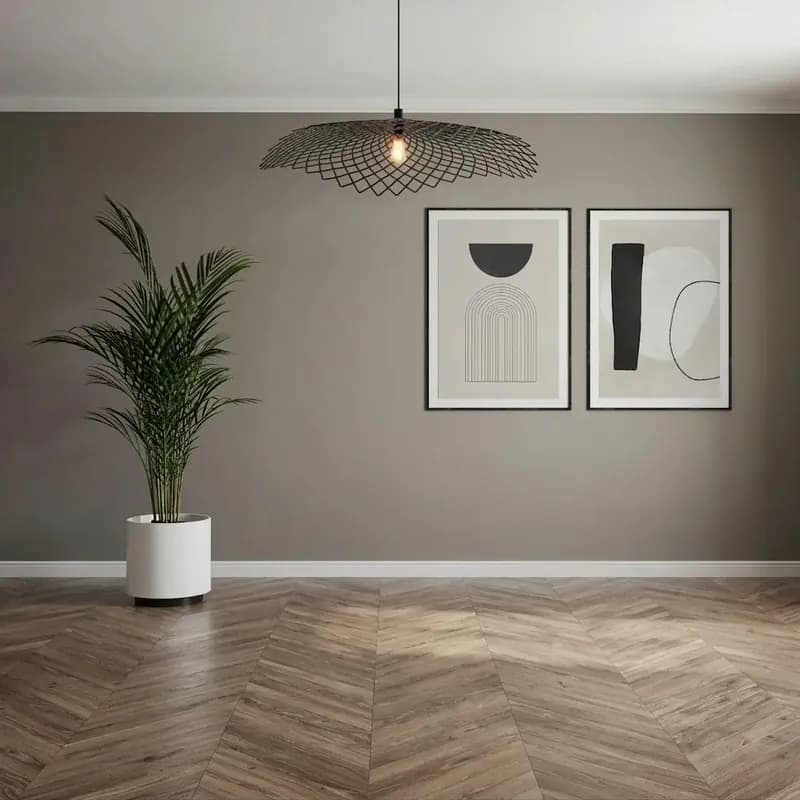 Before
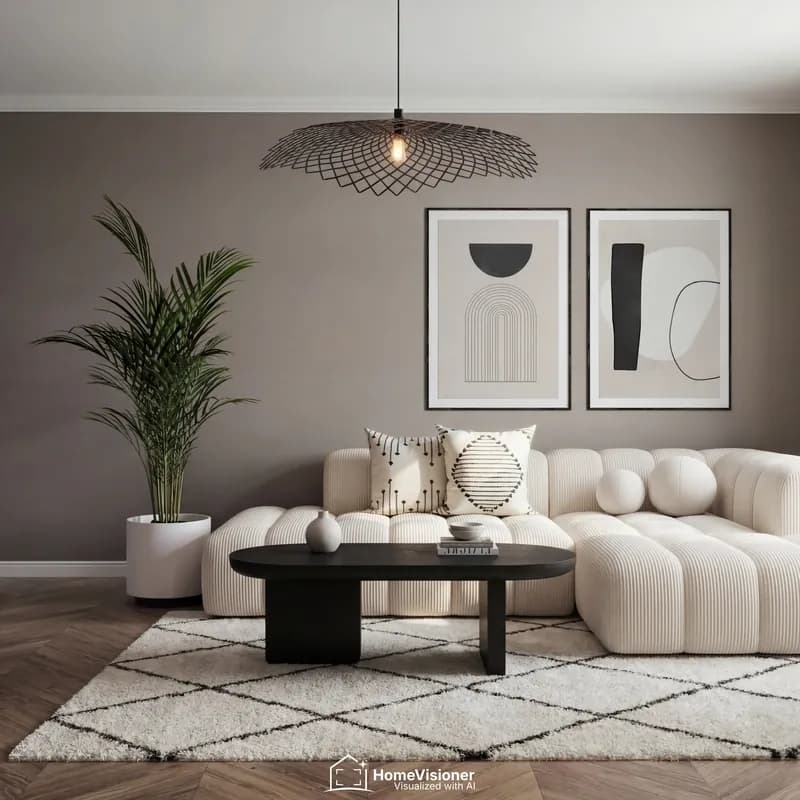 After
All Shopify stores on HomeVisioner
6.7%of shoppers who previewed a product in their room went on to order.
Case study
An online rug store in Europe on Shopify, since May 2026:
- Room visualizations
- 2,516
- Shoppers left their email
- 321
- Orders from shoppers who used the visualizer
- 151
How it works
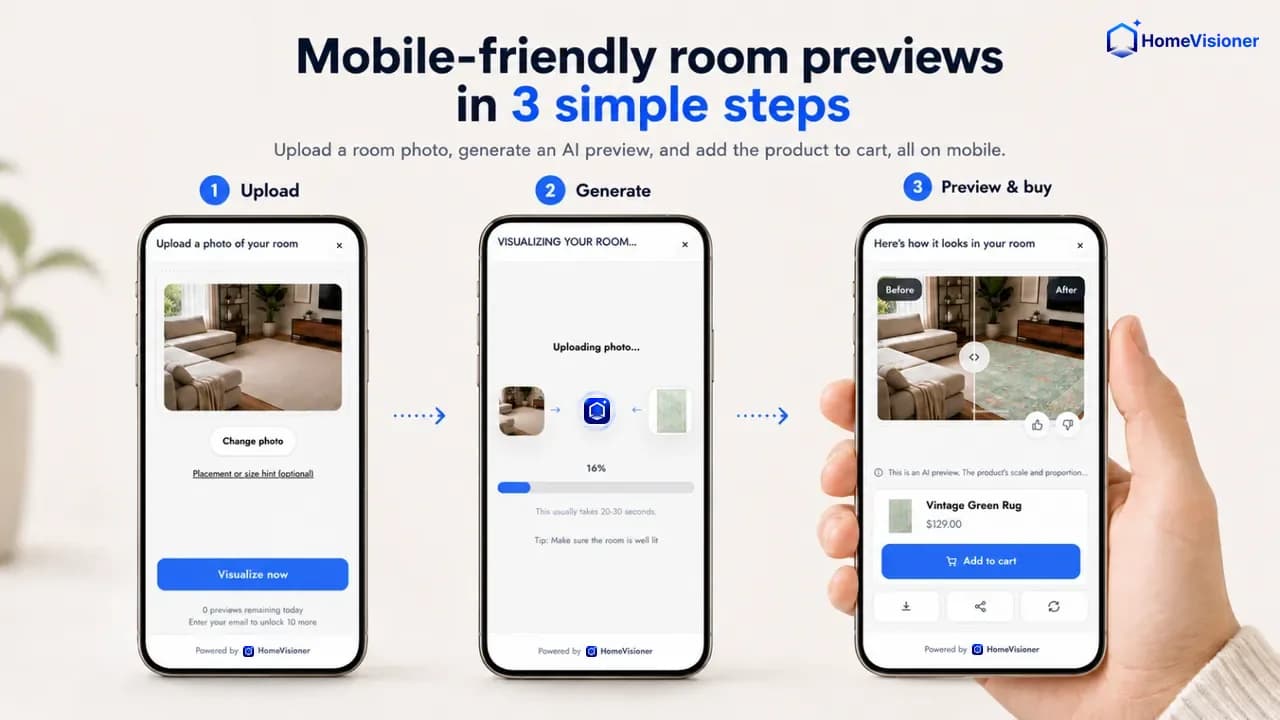
- 1
Add the block in your Theme Editor
Install from the Shopify App Store and drag the HomeVisioner block into your product template. It takes minutes and needs no code. In Manage you pick which products or collections show the button.
- 2
Your shopper uploads a room photo
The button opens the visualizer right on the product page — no app download and no account. A short placement or size hint is optional.
- 3
The AI returns the preview
Your product is composited into their photo with matching perspective, lighting and shadow. Shoppers compare before and after, and can add the item to the cart straight from the preview.
From sofas to rugs, in real rooms
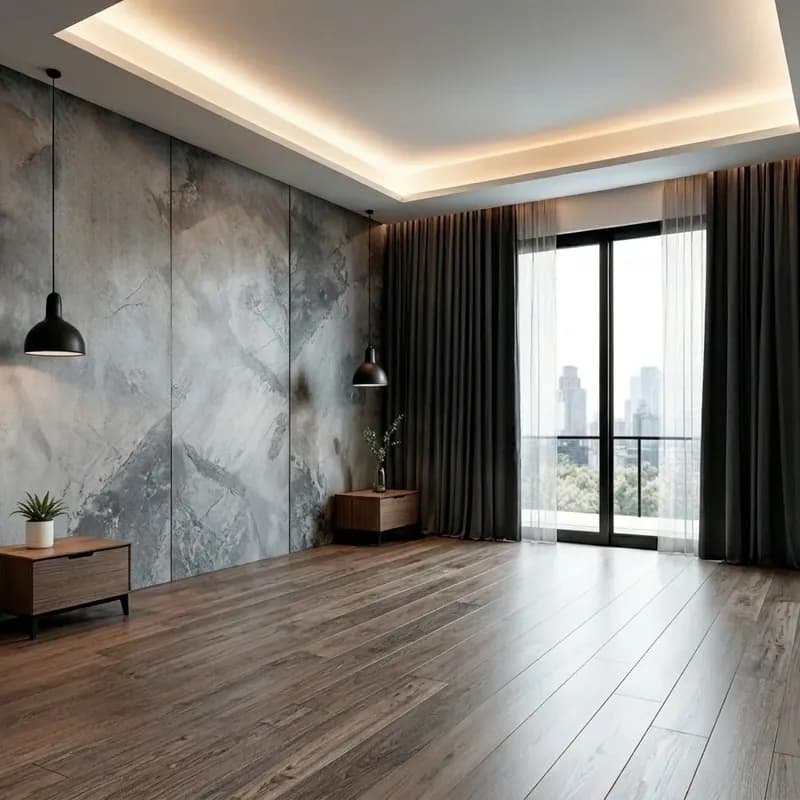
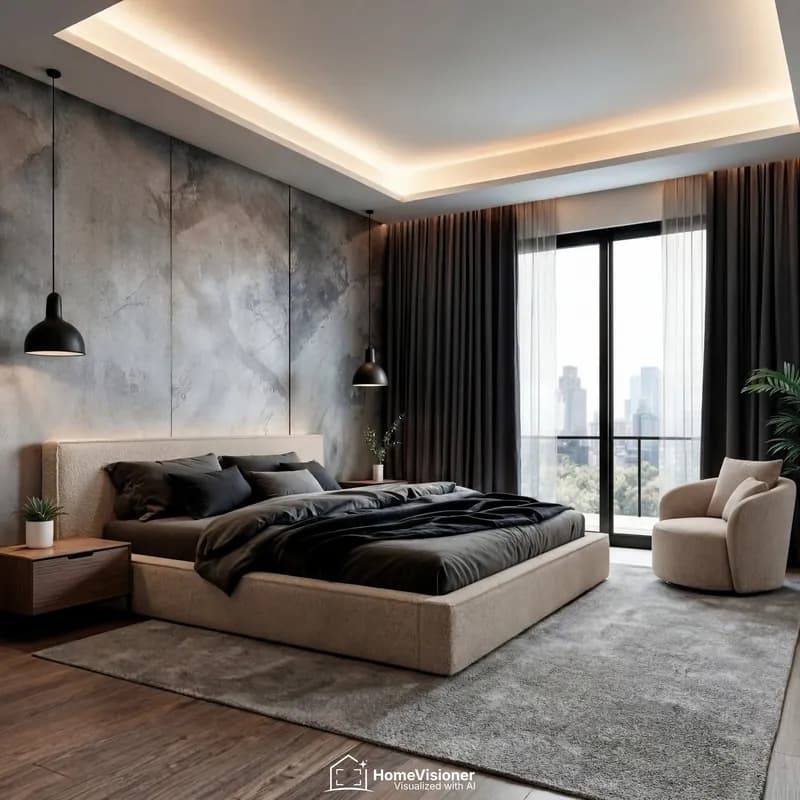
Shoppers upload a photo of their own room and see the product in it — furniture, rugs and decor in the same picture.
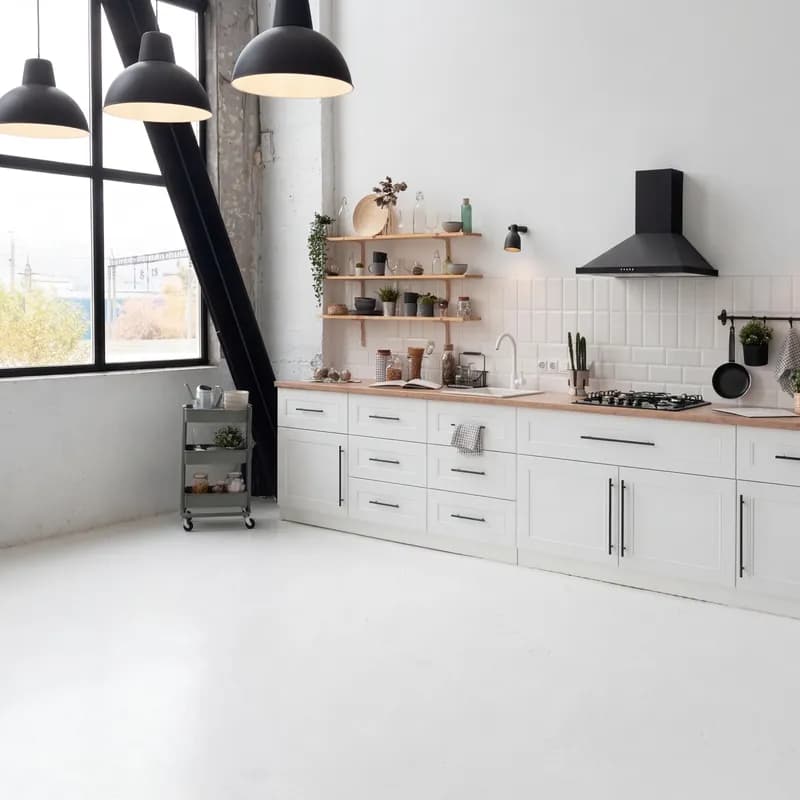 Before
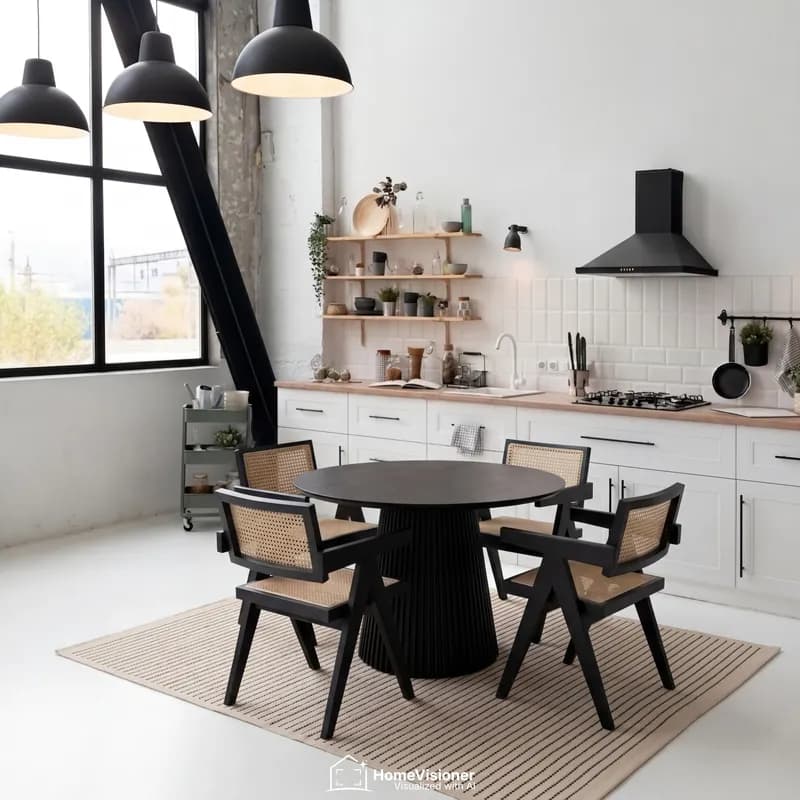 After
Dining area
Round dining table set and rug
- BeforeAfter
Living room
Sofa, coffee table and rug
 Before
 After
Bedroom
Bed, armchair and rug
Sample visualizations created with HomeVisioner.
What stores say on the Shopify App Store.
SO helpful. Amazing customer service. So easy to install as well!
HomeVisioner is an excellent visualization tool! Beyond the tech itself, the customer support has been outstanding. The team is attentive, fast to respond, and truly invested in helping us tailor the experience to our specific needs. It’s been a great addition to our workflow.
I have only had positive experiences with the app. Can definitely recommend the app to others; my customers are happy with it.
Our translation
Jeg har kun haft positive erfaringer med appen Kan helt klart anbefale appen til andre mine kunder er glade for den.
Just installed, took 5 minutes to set up. VERY impressive. It uses your existing product images, you don't need to give it transparent background photos. Somehow, it knows how to size the product appropriately in the room as well. So far, very impressed. This will definitely remove customer anxiety for how the product will appear in their space.
HomeVisioner has been running in our store for a few months now. With rugs in particular, it is sometimes really hard online to imagine how the pattern or the size will look in your own living room. That is exactly where the tool comes in: our customers simply place the rug virtually in the room and see right away whether it suits the space. Setup was completely straightforward, and support responds quickly and knows what they are talking about. We are definitely staying.
Our translation
HomeVisioner läuft jetzt schon seit ein paar Monaten bei uns. Gerade bei Teppichen ist es online manchmal echt schwierig, sich vorzustellen, wie das Muster oder die Größe im eigenen Wohnzimmer wirkt. Genau da kommt das Tool ins Spiel: Unsere Kunden platzieren den Teppich einfach virtuell im Raum und sehen direkt, ob es zum Raum passt. Die Einrichtung war total unkompliziert, der Support meldet sich schnell und weiß, wovon er spricht. Wir bleiben auf jeden Fall dabei.
Quoted word for word from the listing, as of November 17, 2026.
What's in the app
Explore the features available across HomeVisioner plans.
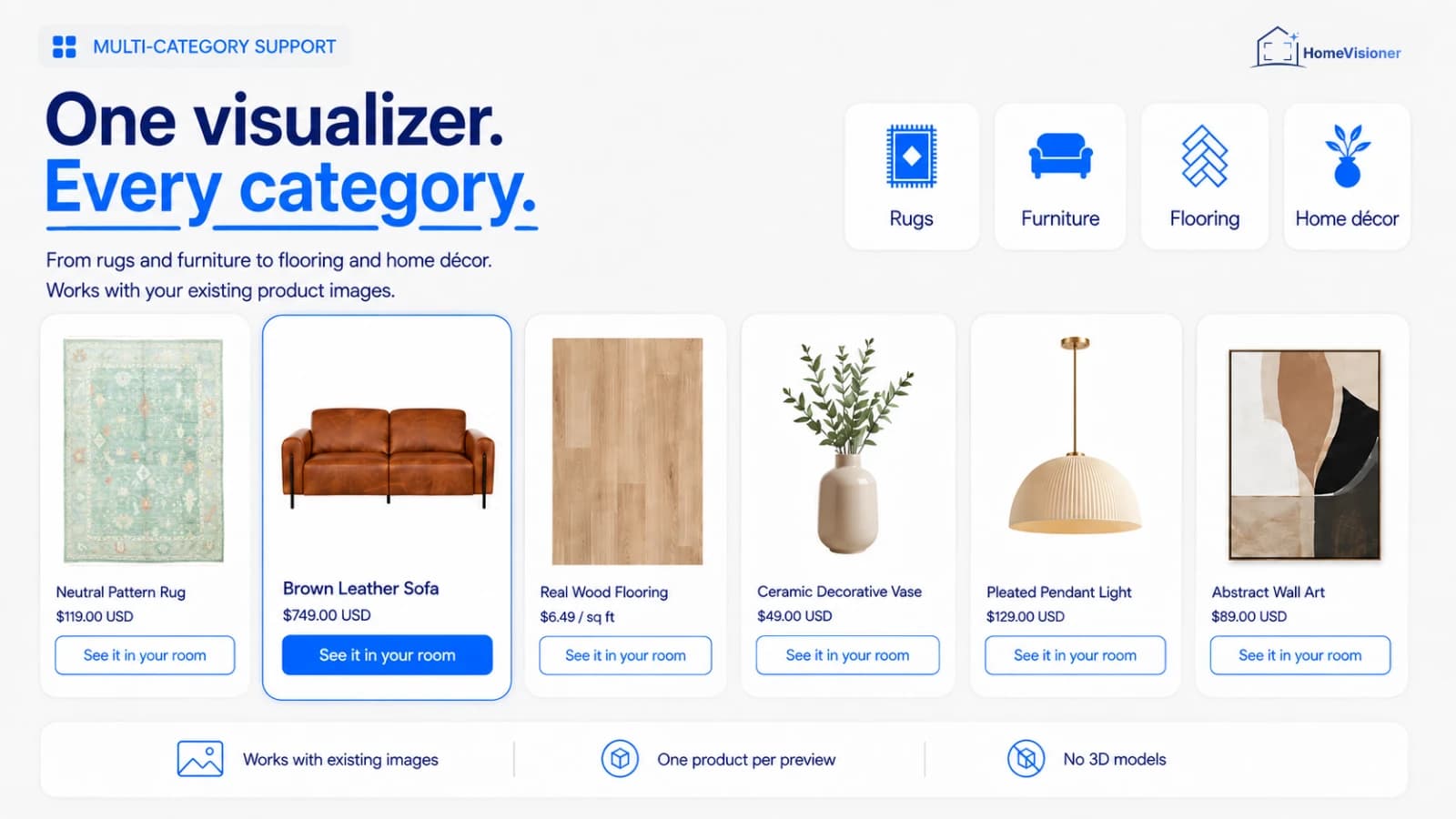
AI room visualization on the product page
A realistic preview generated from a single uploaded room photo, in seconds.
Works with your existing product images
The app uses the photos already attached to your Shopify products. There is nothing to model and no 3D asset to commission.
Built for home and interior catalogues
Rugs and carpets, furniture, flooring, tiles, wallpaper, lighting, wall art and home decor. Each product is visualized as an object in the room, as a floor covering, or as a wall finish.
Before/after comparison
A slider over the shopper's own photo makes the change easy to read. Results can be downloaded and shared.
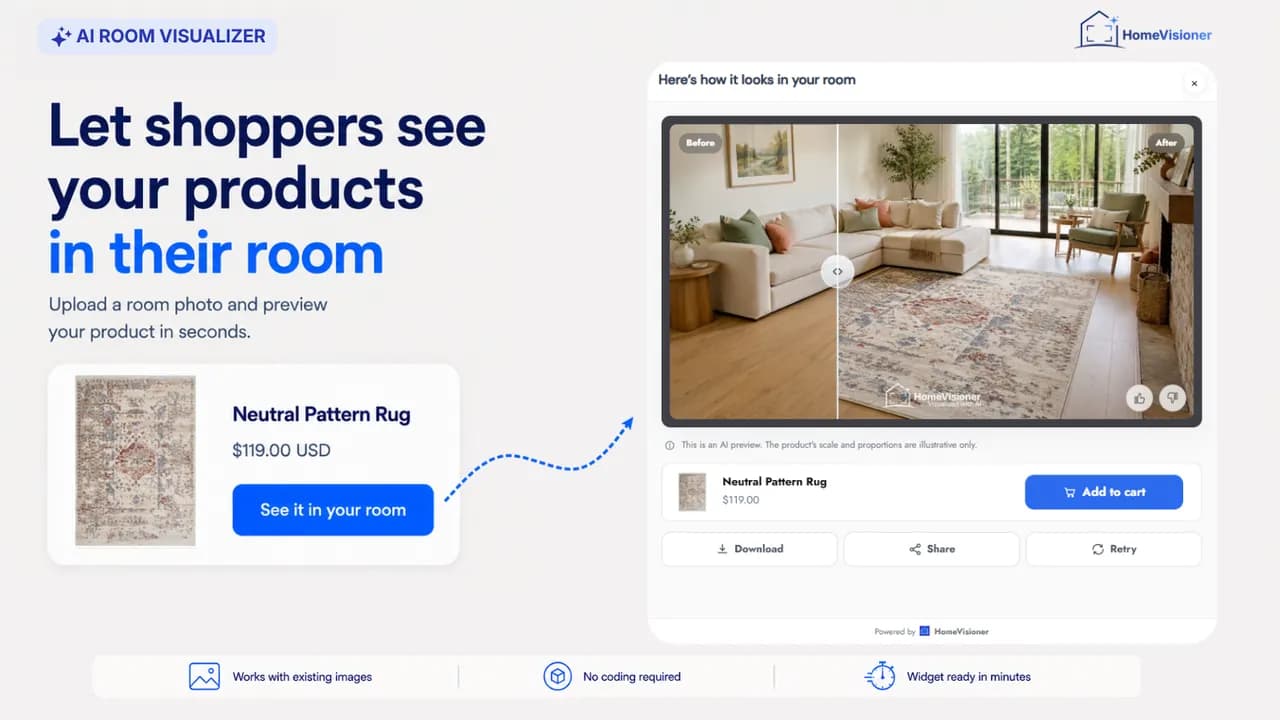
Customizable “See it in your room” button
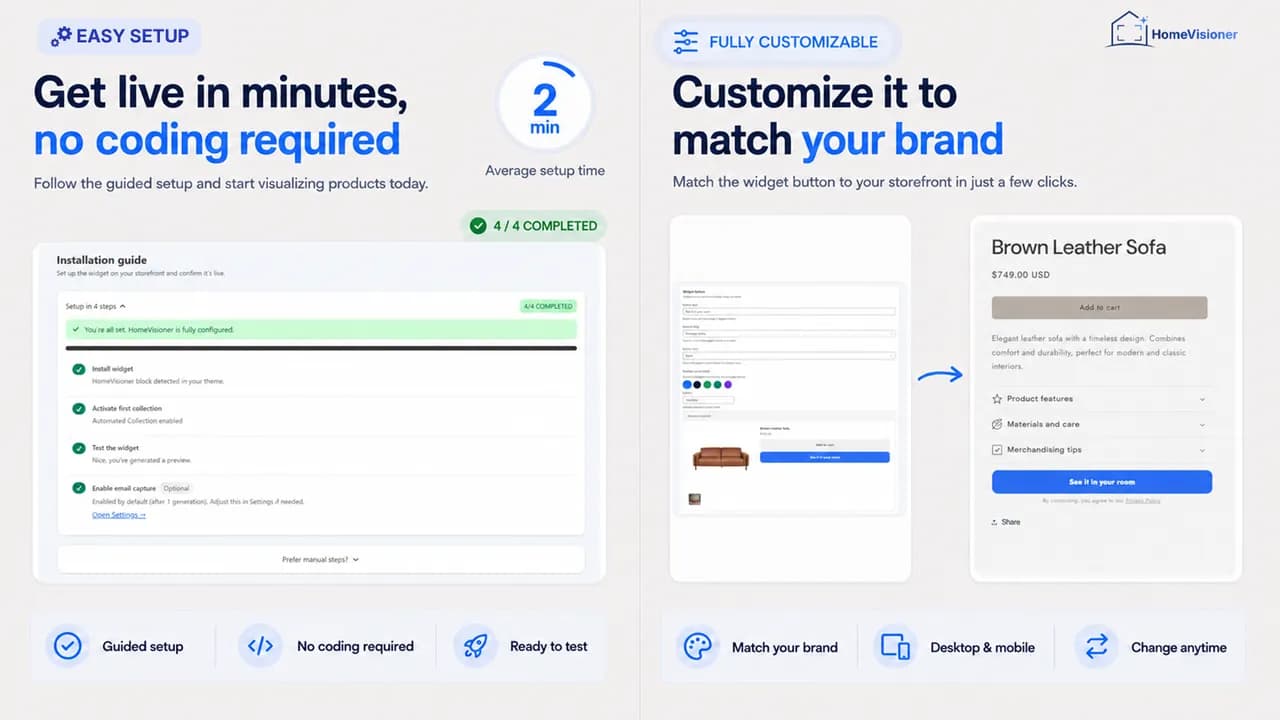
Label, colour, font, shape, size, width and alignment are all set in Settings or on the block itself in the Theme Editor.
Optional add to cart from the preview
When enabled, the result view shows the product’s variants and an Add to cart button, letting shoppers continue from the preview without leaving the flow.
Widget in 22 languages
The storefront widget speaks 22 languages, including English, German, French, Spanish, Turkish, Japanese and Chinese, plus right-to-left Arabic and Hebrew. The admin app comes in 18 of them.
No-code setup
The theme app block works on Online Store 2.0 themes. No Liquid edit, no CSS, no developer — drag it wherever you want it on the product page.
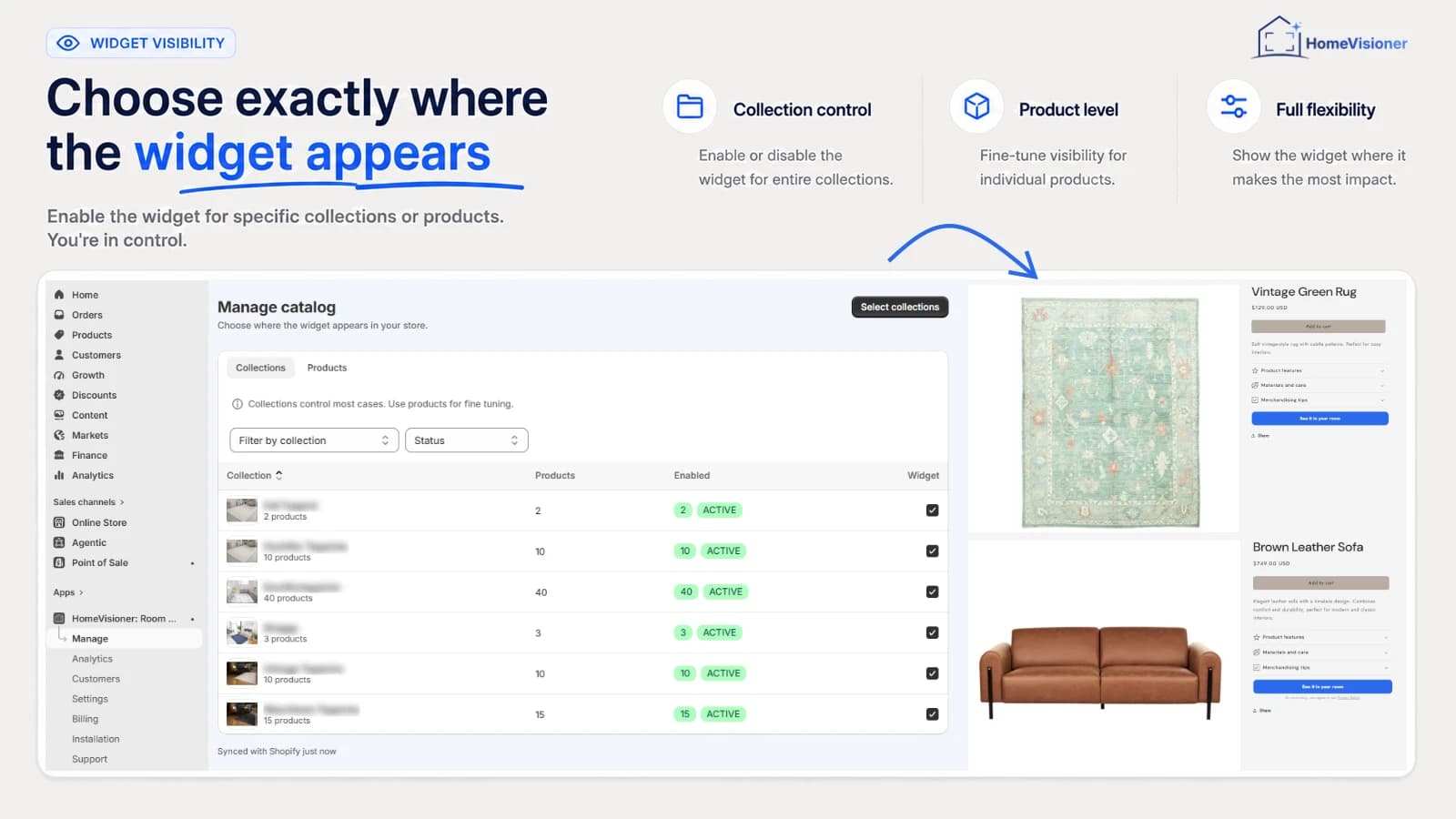
Control it per product or per collection
Switch the button on for single products or a whole collection. New products in an enabled collection inherit the setting automatically.
Lead capture
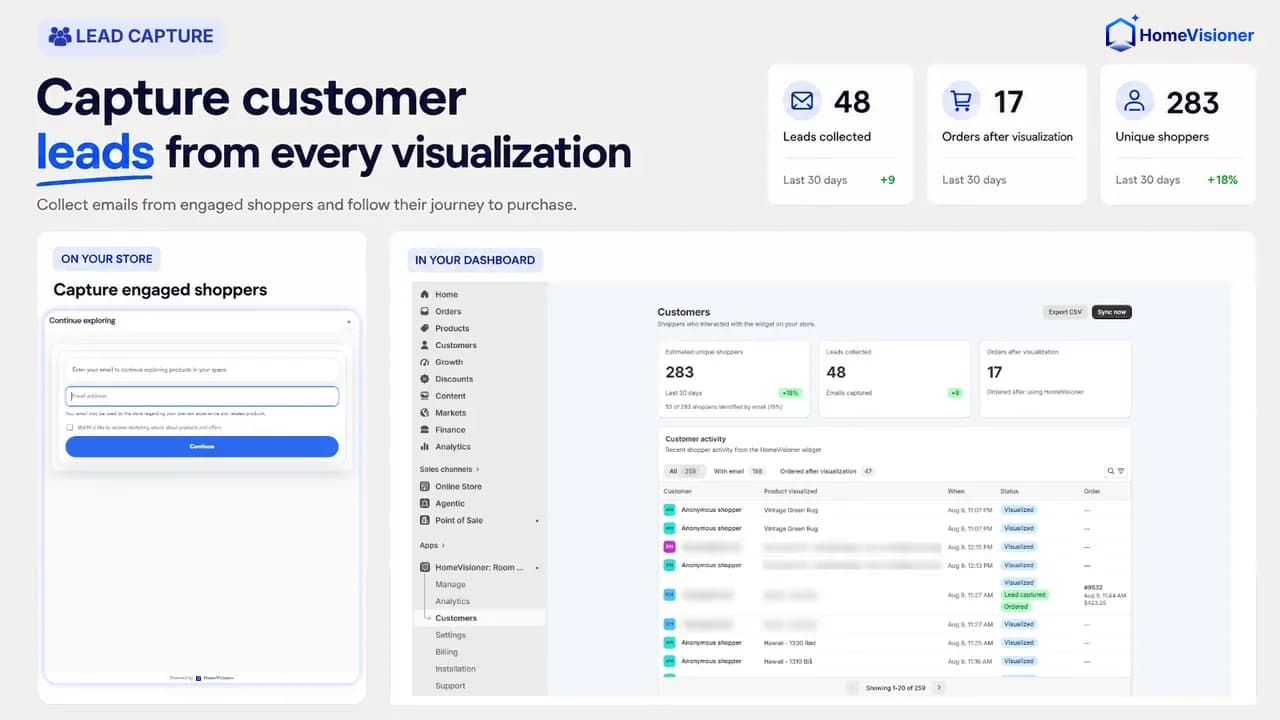
Ask for an email after a set number of previews, with an optional marketing-consent checkbox. Leads collect on the Customers page and export as CSV.
Visualizations, attributed orders and revenue
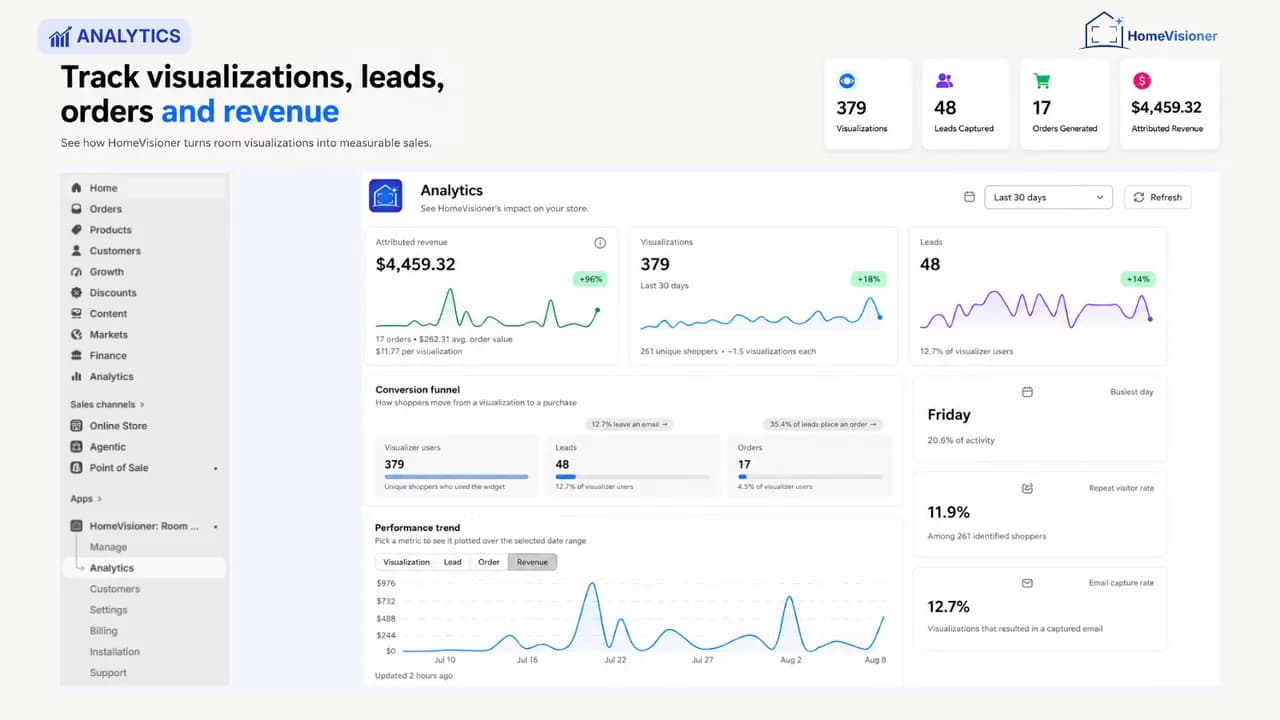
Analytics reports visualizations, unique shoppers, leads, attributed orders, attributed revenue and a conversion funnel. Growth and Pro also compare product return rates and basket size before and after the first visualization using actual order history.
Room photos deleted after 30 days
Uploaded photos and generated previews are removed automatically. HomeVisioner answers Shopify's GDPR webhooks.
Theme requirements and install options
HomeVisioner reaches your store through Shopify's theme app extension — none of your theme files are edited. Which route fits depends on your theme.
Online Store 2.0 theme: app block
For themes with JSON product templates, such as Dawn and most current themes. “Add block to theme” in the app opens the Theme Editor with the HomeVisioner block already on your product template. Drag it near Add to cart and save. Colour, text and font can be set per block, or follow your theme's own buttons.
Older (vintage) theme with a Liquid product template: app embed
Older (vintage) themes are supported through the app embed. Where an app block cannot be placed, the app recognises it and takes you to App embeds in the Theme Editor instead. Switch HomeVisioner on there and the button appears above your Add to cart button. If it lands in the wrong place on your theme, our support moves it for you.
Either way
- Install from the Shopify App Store; you choose and approve your plan inside Shopify.
- In Manage you pick which products or collections show the button.
- No Liquid, CSS or JavaScript edits.
Plans
Billed by Shopify through Managed Pricing, in USD. Starter includes a 14-day free trial; Growth and Pro are charged from the day you approve them.
Free
$0 / month
- 20 visualizations / month
- Customizable widget and lead capture
- Analytics: visualizations, leads, attributed orders
- HomeVisioner watermark on results
Plan chosen and approved in Shopify
Starter
$14.99 / month
- 100 visualizations / month
- 14-day free trial with 100 visualizations
- Customer image gallery
- Analytics: visualizations, leads, attributed orders
- HomeVisioner watermark on results
Plan chosen and approved in Shopify
Growth
$49.99 / month
- 300 visualizations / month
- Clean results — no HomeVisioner watermark
- Analytics: visualizations, leads, attributed orders
- Advanced insights and impact analysis
- Priority support
Plan chosen and approved in Shopify
Pro
$149.99 / month
- 1,000 visualizations / month
- Extra visualizations at $0.17 each, on by default. Default usage limit $85 per month (about 500 extras); raise it up to $1,000 or turn extra usage off.
- Analytics: visualizations, leads, attributed orders
- Advanced insights and impact analysis
- Full white-label with your own logo and watermark
- Priority visualization queue
Plan chosen and approved in Shopify

Free, Starter and Growth stop at the visualizations included for the month — nothing beyond the plan price is charged on those plans.
Setup supportFree
We set up the button with you: placing the block in your theme, matching it to your design and choosing the products that show it. Write to [email protected] or use the contact form.
Frequently asked questions
Do I need 3D models of my products?
No. HomeVisioner works from the product images already attached to your Shopify products. A good product photo is all it needs.
How is this different from an AR or 3D app?
AR and 3D viewers need a 3D model of every product, and usually the shopper's phone camera. HomeVisioner works from the product photos already on your product pages and a single room photo the shopper uploads, so your whole catalogue is ready on day one.
Which products can it visualize?
Home and interior catalogues: rugs and carpets, furniture, flooring, tiles, wallpaper, lighting, wall art and home decor. Each product is rendered as an object in the room, as a floor covering, or as a wall finish.
How long does setup take?
Minutes. Install from the Shopify App Store, drag the HomeVisioner block into your product template in the Theme Editor, and switch on the products or collections you want covered. No code and no theme file edits — the block runs on Online Store 2.0 themes.
What happens when the month's visualizations run out?
On Free, Starter and Growth, the widget pauses until the next billing period or until you change plan — you are never charged more than the plan price. Pro continues at $0.17 per extra visualization: extra usage is on by default, with a default limit of $85 per month. In Billing you can raise the limit up to $1,000 or turn extra usage off.
Which languages does the widget speak?
22: English, Arabic, Bulgarian, Chinese (Simplified and Traditional), Czech, Danish, Dutch, Finnish, French, German, Hebrew, Italian, Japanese, Korean, Norwegian, Polish, Portuguese (Brazil), Romanian, Spanish, Swedish and Turkish. The admin app is available in 18 of them, all but Arabic, Bulgarian, Hebrew and Romanian.
How does HomeVisioner measure returns and basket size?
For every product with enough visualizations, its first completed visualization is taken as the cut-off date. That product's orders are split into before and after, and the two periods are compared — counting only products with enough orders on both sides. It compares two periods of your own order history, not shoppers who used the widget against shoppers who did not, so it shows a trend rather than proving a cause. When the history is too thin, the card stays empty instead of estimating a number.
What happens to the photos shoppers upload?
Uploaded room photos and generated previews are deleted automatically 30 days after upload. HomeVisioner also answers Shopify's GDPR data-request and redaction webhooks.
Can I see who visualized a product?
No. Shoppers stay anonymous unless they choose to leave their email — only they appear in your lead list. Orders are matched primarily through the cart, without a name or email. HomeVisioner adds no new personal data to the order information you already see in Shopify: it only shows which order followed a visualization.
Ready to put it on your storefront?
Install HomeVisioner from the Shopify App Store and add the block to your product template. Start with the Free plan and upgrade whenever you need more visualizations.
Install on the Shopify App Store