The best room visualizer apps for Shopify in 2026: an honest comparison.
Nine apps that let shoppers see a product in a photo of their own room — what each one’s listing says it does, what it costs, and where it is stronger. Which is best depends on your range, your budget and what your shoppers need to see.
We make HomeVisioner, one of the apps below. Everything about the other apps comes from their own Shopify App Store listings; we link each one so you can check.
Listings last checked on 24 October 2026. Prices in US dollars per month, as listed.
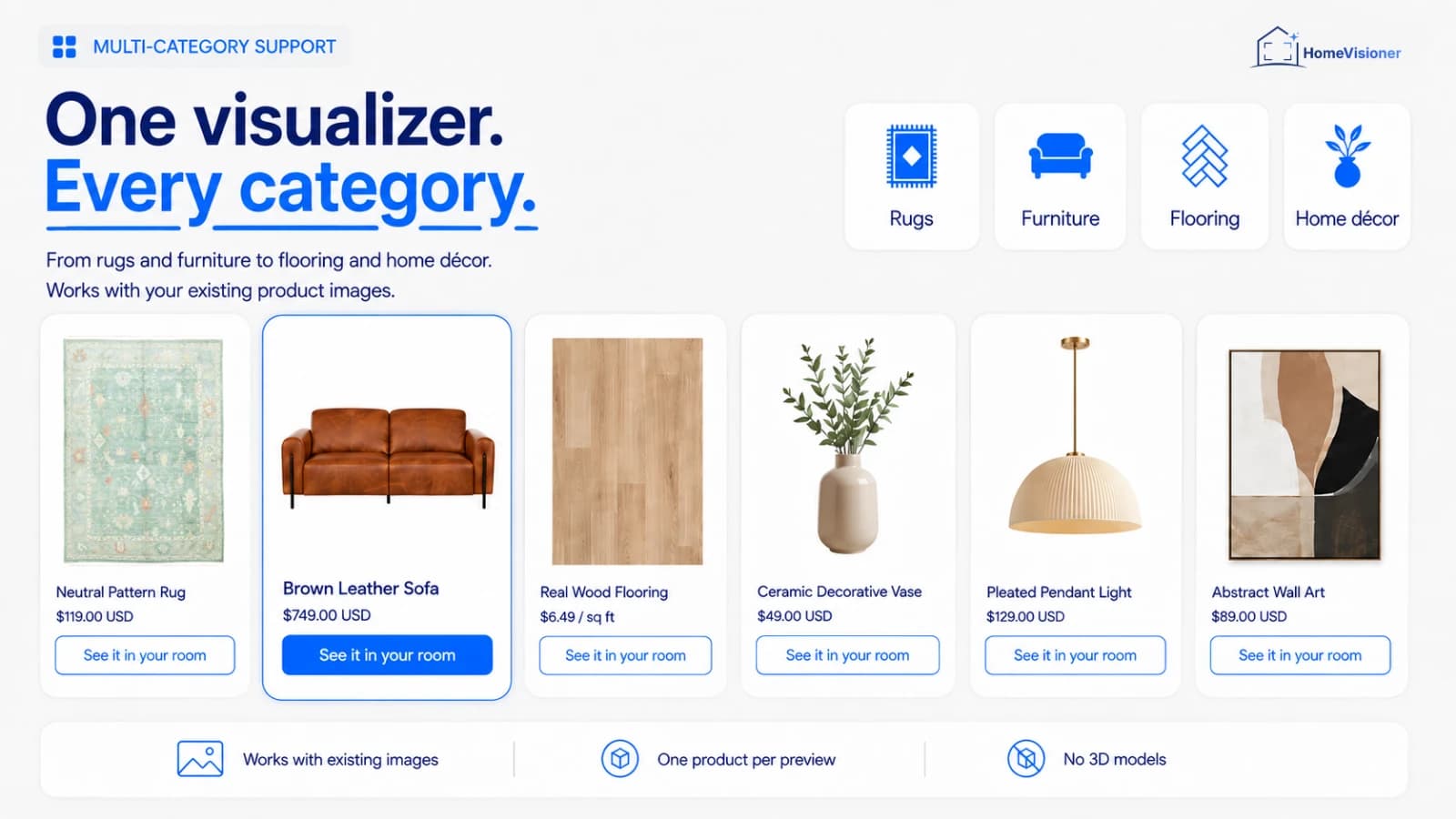
HomeVisioner, one of the nine apps. Images of the other apps are on their listings.
At a glance
Nine apps, side by side
Every app here works from the store’s existing product images and a room photo — none needs 3D models. They differ in what one preview shows, how the free allowance works and what the paid plans include.
Paid from: the cheapest monthly plan and the visualizations it includes (some apps say generations, designs or renders).
App
How it works
One preview shows
Free
Paid from
Reviews
HomeVisioner: Room VisualizerHomeVisioner
How it worksAI on the shopper’s room photo
One preview showsone product, floors and walls
Free20 a month
Paid from$14.99 / month · 100 included
Reviews4 (5.0)
My Room VisualiserWebsiteManager
How it worksAI on the shopper’s room photo
One preview showsone product
Free5 a month
Paid from$29.99 / month · 200 included
Reviews3 (4.0)
ReimagineHome: Room VisualizerReimagineHome AI
How it worksAI on the shopper’s room photo
One preview showsseveral products together
Free20, once
Paid from$49 / month · 150 included
Reviewsnone yet
DecorViz: Furniture VisualizerDecorViz AI
How it worksAI on the shopper’s room photo
One preview showsone product
Free5 (no period stated)
Paid from$119 / month · 250 included
Reviewsnone yet
Roomellow: AI Room VisualizerRoomellow, Inc.
How it worksAI on the shopper’s room photo
One preview showswhole room, one product
FreeNo free plan; 14-day trial with 20 designs
Paid from$149 / month · 400 included
Reviewsnone yet
ShoparnShoparn
How it worksAI on the shopper’s room photo
One preview showsone product
Free30 (no period stated)
Paid from$49 / month · 300 included
Reviewsnone yet
Furniture VisualizerJeinite Tech
How it worksAI on the shopper’s room photo
One preview showsone product
FreeNo free plan
Paid from$10 / month · 50 included
Reviewsnone yet
PanonamicDigital Solutions
How it worksAI on the shopper’s room photo
One preview showsfloors and walls, one product
FreeNo monthly fee, $0.11 per visualization
Paid fromPay per use only
Reviewsnone yet
Wizart Room VisualizerWizart
How it worksAI on a room photo or a sample interior
One preview showsfloors and walls
FreeNo free plan
Paid from$299 / month · 5,000 included
Reviewsnone yet
Paid from: the cheapest monthly plan and the visualizations it includes (some apps say generations, designs or renders). Listings last checked on 24 October 2026. Prices in US dollars per month, as listed.
App by app
What each listing says
In the listings’ own terms. Where a claim is the vendor’s, we say so.
HomeVisioner: Room Visualizer
HomeVisioner · Launched 11 May 2026
Adds a “See it in your room” button to product pages. The shopper uploads a room photo and gets a preview made from your existing product images, with a before/after slider and add to cart. Also visualizes floor and wall coverings.
Where it stands out
20 free visualizations every month, analytics with attributed orders on every plan, a widget in 22 languages, and also available for ikas stores.
Adds a “See it in your room” button; the AI places the product in the shopper’s room photo, working from existing photos, with no 3D models or AR app.
Where it stands out
The listing says it reads the product’s real dimensions to scale it in the room. Higher plans add “Complete the look”, post-visualisation discounts and lifestyle image generation, and plans can be paid yearly.
Shoppers upload a room photo, pick products from your store and see one or more of them placed in the room, with a before/after slider and checkout on your store.
Where it stands out
Several products together in one room — useful when shoppers furnish a whole corner rather than buy one piece.
A Preview button on suitable product pages; the shopper uploads a room photo and gets an AI preview from the product image. For sofas, tables, beds, rugs, lighting and other home products.
Where it stands out
Merchant controls for categories, product exclusions and button style, and a usage dashboard.
Designs a shopper’s whole room with real, shoppable products from your catalog, from a room photo and your existing product images; shoppers can buy one item or the whole room.
Where it stands out
Whole-room designs with “Shop the Look”, room-aware product recommendations, a sales attribution dashboard and personal onboarding on every plan. No free plan, a 14-day trial.
Customers upload a room photo and see your furniture placed in it; the widget’s colours, text and styling are customisable, and the catalog syncs automatically.
Where it stands out
The free plan is listed as “Unlimited time” with 30 generations and up to 3,000 SKUs; the listing doesn’t say whether the 30 are per month. Paid plans limit the number of SKUs.
Shoppers upload a room photo or pick one of 250+ ready-made interiors and see wallpaper, paint, tiles, flooring, rugs, carpets, wall panels, ceilings or murals in it.
Where it stands out
The broadest range of surface materials here, sample interiors for shoppers without a photo, a compare mode for several materials in one room, and on the App Store since 2022. Built for large catalogs: from $299 a month for 1,500 SKUs.
What HomeVisioner offers, and where others are stronger
Our own app, described the way we describe it everywhere else on this site.
Free: 20 visualizations a month. Starter $14.99 with 100 and a 14-day free trial, Growth $49.99 with 300, Pro $149.99 with 1,000 and extra visualizations at $0.17 up to $85 a month.
Works from the product images already in your store; a block on the product page, switched on per product or collection, without code.
Furniture, rugs and décor as objects, and floor and wall coverings as surfaces.
Lead capture: an email after a number of previews you set, with marketing consent as a separate checkbox.
Analytics on every plan: visualizations, leads and attributed orders — an association, not proof that the preview caused the sale.
Widget in 22 languages, app in 18. Room photos and previews are deleted after 30 days. Free setup support.
Where another app may suit you better
One product per preview. ReimagineHome places several products together, Roomellow designs a whole room.
No sample interiors: the shopper needs a photo of their own room. Wizart offers ready-made interiors.
Scale is an approximation, and every result carries a note on scale. My Room Visualiser’s listing says it scales from the product’s real dimensions.
Free, Starter and Growth stop at the included visualizations; only Pro sells extras. Panonamic charges per use with no monthly fee.
No yearly billing on the App Store; My Room Visualiser offers it.
Room photos are kept until they are deleted after 30 days; Panonamic’s listing says it stores none.
Most of these apps launched in 2026 and have few or no reviews yet, so try before you commit: almost all of them have a free plan or a trial.
What do you sell?
Single pieces of furniture, rugs and décor suit a one-product preview. Wallpaper, paint and tiles call for a materials visualizer; whole-room sets for an app that places several products.
How many previews a month?
Compare plans by the visualizations you expect, not by price alone. A store with little traffic may never leave a free plan; a busy one should check what happens when the allowance runs out.
Does exact size decide the sale?
No photo-based AI preview measures. If shoppers need certainty that a piece fits, keep dimensions on the product page — or consider 3D/AR.
What do you want to measure?
Check whether the app shows visualizations, leads and the orders that follow, and how it counts them.
Roomvo is the visualizer many flooring retailers know. We found no Roomvo app on the Shopify App Store. On its own site, Roomvo lets customers upload a photo of their room or choose a sample space, and covers furnishings, flooring, tile, paint, exteriors, wallpaper, rugs and countertops, online and on in-store kiosks.
Roomvo publishes no prices; retailers book a demo. Through its partner program, retailers can sign up for free via a manufacturer’s membership, which can make it the obvious choice if you sell flooring from Roomvo’s partner brands. If you run your own Shopify store and want to install an app yourself with published prices, the apps above are the closer comparison.
Sources: Roomvo’s home page, its page for independent furniture retailers and its partner program page. [1][2][3]
How we checked
We read each app’s own Shopify App Store listing on 24 October 2026 and copied plan names, monthly prices, included visualizations, trials, launch dates and review counts as shown that day.
We left out annual prices and first-month discounts and compared the monthly list price.
We did not test the other apps, and we don’t rate the quality of their previews. Listings change; the linked listing is always the current word.
Spotted something out of date? Write to [email protected] and we will correct it.