How it works
Upload a room photo and a product image. HomeVisioner automatically adapts perspective, lighting, and proportions.

HomeVisioner
Instead of imagining a piece of furniture, see it directly in your own room before buying.
Upload a room photo and a product image. HomeVisioner automatically adapts perspective, lighting, and proportions.
See early whether a colour, size, and style truly fit the room.
Visualize sofas, tables, chairs, rugs, lamps, and more products.
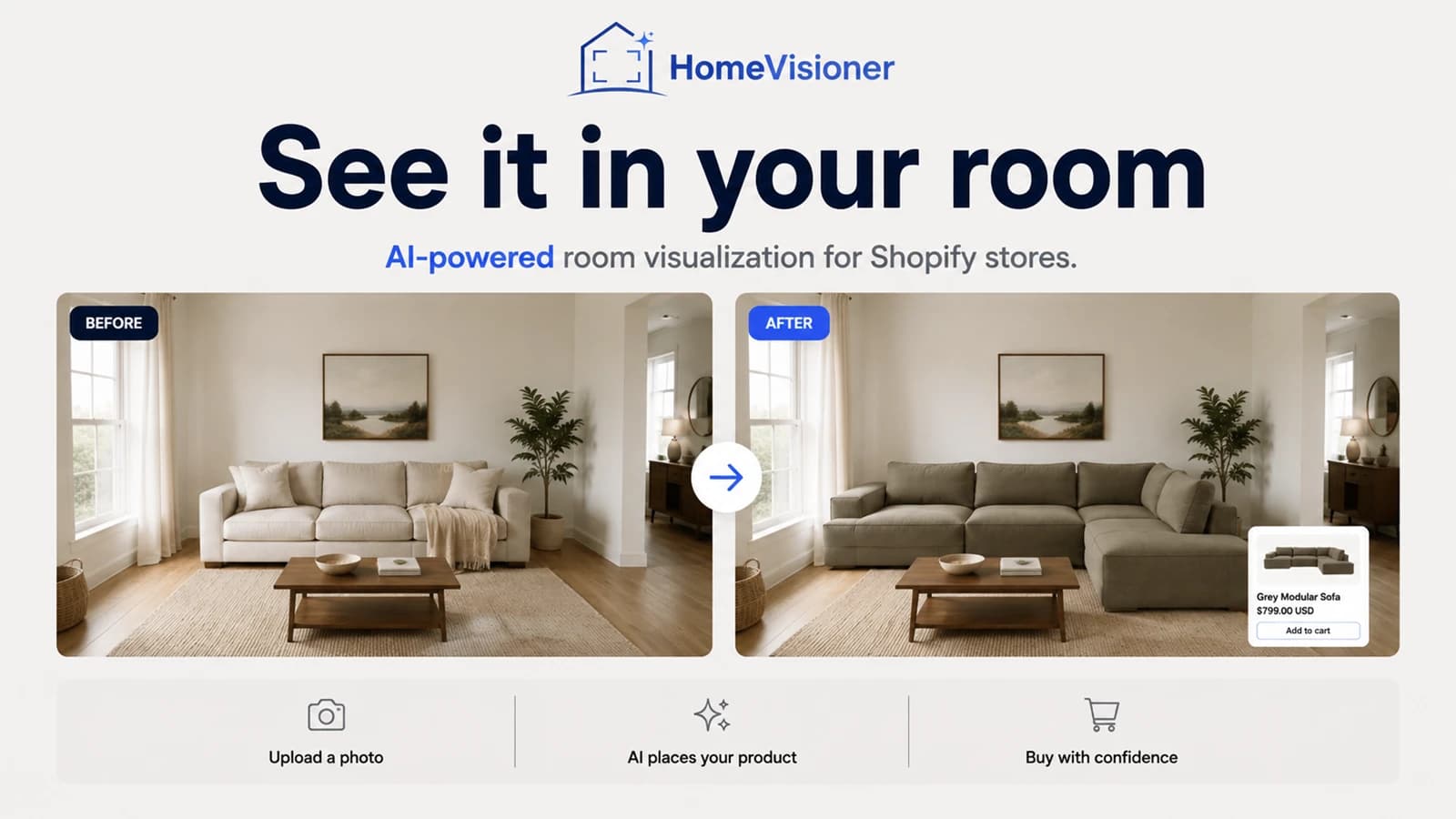
On the left the photo of the room, on the right the preview: the existing sofa has been replaced by a grey sectional, while the windows, rug, coffee table and light stay as they are. That is the question room visualization answers: what does this product look like in this very room?
A phone photo is enough. It should show the area the product is meant for – for a sofa the wall and the floor in front of it, for a rug the floor.
In an online store via the button on the product page; in HomeVisioner Studio via a product image you upload.
The AI places the product into your photo and adapts perspective and light. This takes seconds.
Put before and after side by side, try another colour or product, and save the result.
The quality of the preview depends above all on the room photo. The HomeVisioner widget shows these two examples on its upload screen too.

What works
Better avoid
A room visualization shows how a product's colour, style and proportions work in your room. It is an AI image, not a measurement: scale and proportions are an approximation.
A normal, well-lit room photo is enough.
In seconds.
No. The AI takes its cues from doors, windows and furniture in the photo, but scale and proportions remain an approximation. For exact sizes, go by the product's dimensions.
Visualize furniture in your own room: check style, size, and impact before buying with HomeVisioner.
See a rug in your own living room before buying. HomeVisioner creates a realistic AI preview.
Two ways to show furniture and décor in a shopper's room: an AI preview built from product photos, or 3D models with AR. Use, cost structure and limits.