
HomeVisioner Blog
How accurate is an AI room preview? What it keeps, what it estimates, and how we measure
Updated:
What an AI room preview keeps from your product photo, why its scale is an estimate, what makes results better, and what HomeVisioner counts and doesn’t claim.
“Accurate” means three different things
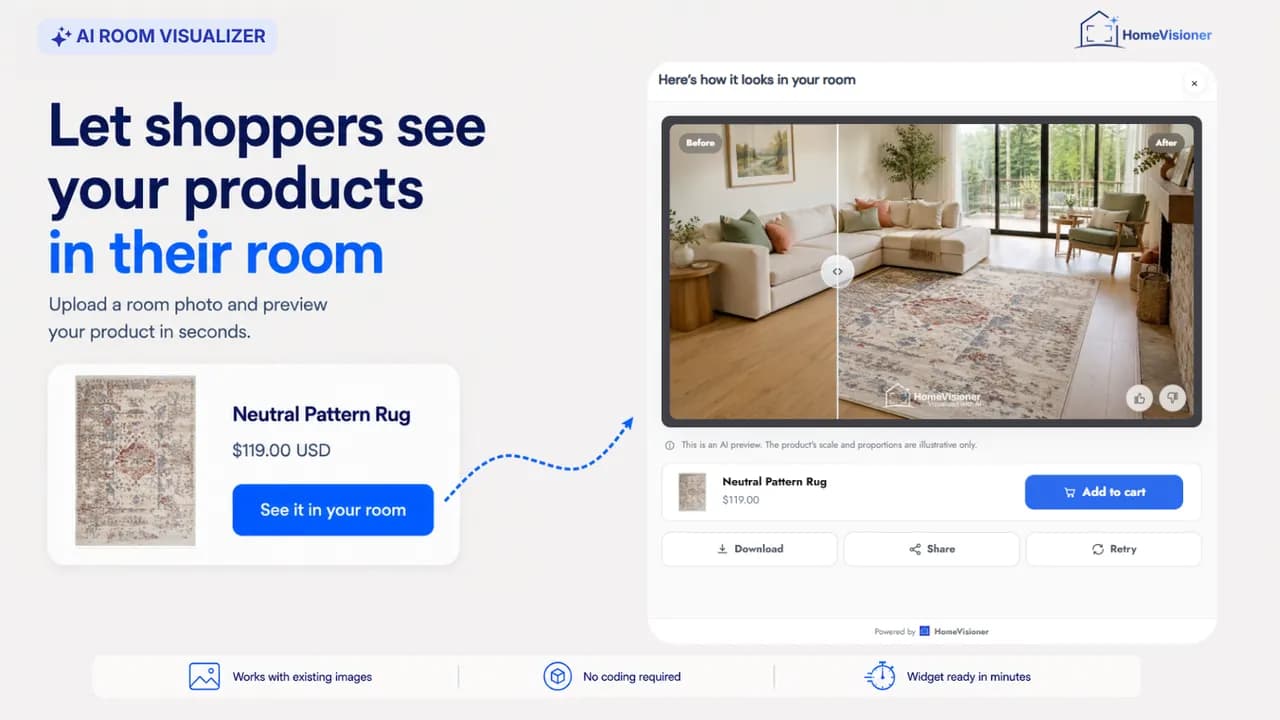
When a store owner asks whether a room preview is accurate, the question usually hides three separate ones. Does the product look like my product — its shape, colour and pattern? Does it sit in the room believably — on the floor, in the room’s light and perspective? And is it the right size?
An AI preview such as HomeVisioner is built for the first two. It answers the third only roughly, and it says so on every result. Knowing which is which lets you tell your shoppers honestly what they are looking at, and it tells you where the product page still has to do the work. Below we take the three questions in turn, and the last section says what HomeVisioner counts and what it doesn’t.
What the preview keeps from your product photo
The preview is made from your product photo, not from your product description. The AI is instructed to keep the product exactly as the photo shows it: shape, proportions, edges, texture, pattern and colours. The title and description only help it understand what the product is; when they disagree with the photo, the photo wins. It is also told not to change the room or add objects, and to keep the photo’s framing.
There are extra rules per product type. A sofa keeps its shape, volume and cushions; a table its thickness, edges and surface. A rug keeps its outline, aspect ratio, border and edges, and fringe is added only where the photo clearly shows it. We describe the rug rules in detail on our page for rug stores.
Two honest limits. Colours are shown in the light of the shopper’s room, so they look the way they would in that room — not like a calibrated colour swatch. And it is still an AI image: fine details, a dense pattern for example, can come out differently from the original. If a result looks off, the shopper can try again or use another room photo.
Scale: an estimate, not a measurement
A single room photo contains no real measurements. The AI estimates size from what it can see — door frames, windows, furniture — so the product’s size in the preview is an approximation. On Shopify, when the selected variant has a size such as “200 × 300 cm”, it is passed along as an approximate reference, exactly as you wrote it. Every result carries a note on scale; unless you write your own, it reads “This is an AI preview. The product’s scale and proportions are illustrative only.”
So keep width, depth and height on your product pages, and keep telling shoppers to measure. Whether a sofa fits through the door is a question for a tape measure. If exact dimensions are what decides the sale in your range, a correctly dimensioned 3D model in AR has the edge; we compare the two approaches on our page about HomeVisioner and 3D/AR.
What makes a result better or worse
Most weak results trace back to one of two photos. The product photo works best when it shows the whole product, uncropped, on a plain background; a styled room shot as the main image makes the AI find the product inside another room first. You will find what works for furniture on our page for furniture stores.
The room photo works best taken wide, with the phone held horizontally, good light and the floor where the product should go in the picture. Close-ups leave the AI too little room to judge size. Photos with a clearly visible face are not processed, and room photos and previews are deleted automatically after 30 days.
How HomeVisioner measures — and what we don’t claim
There is no single accuracy percentage for an AI image, and we don’t quote one. What we do count is defined precisely. A visualization counts only once the result image is ready; failed attempts are not counted and don’t use your quota. The analytics page in your Shopify or ikas admin counts visualizations, email leads and attributed orders per period, on every plan.
Across all stores on Shopify and ikas, 98% of 9,800+ visualizations since June 2026 completed successfully (as of 21 October 2026). That is a measure of reliability — a finished image came back — not of how faithful each image is. How faithful a result looks is something you can judge yourself: on the paid plans, the gallery in your admin shows the results your shoppers created.
An attributed order is an order that followed a visualization; it is not proof that the preview caused it. Every rule behind these numbers is set out on the page that explains how we measure. And if you want to judge a preview before your shoppers do, our guide to room visualization explains how it works from the shopper’s side.
Try HomeVisioner in your store
See for yourself how faithful the previews are with your own products: there is a free plan on Shopify and ikas, setup needs no code, and setup support is free.